
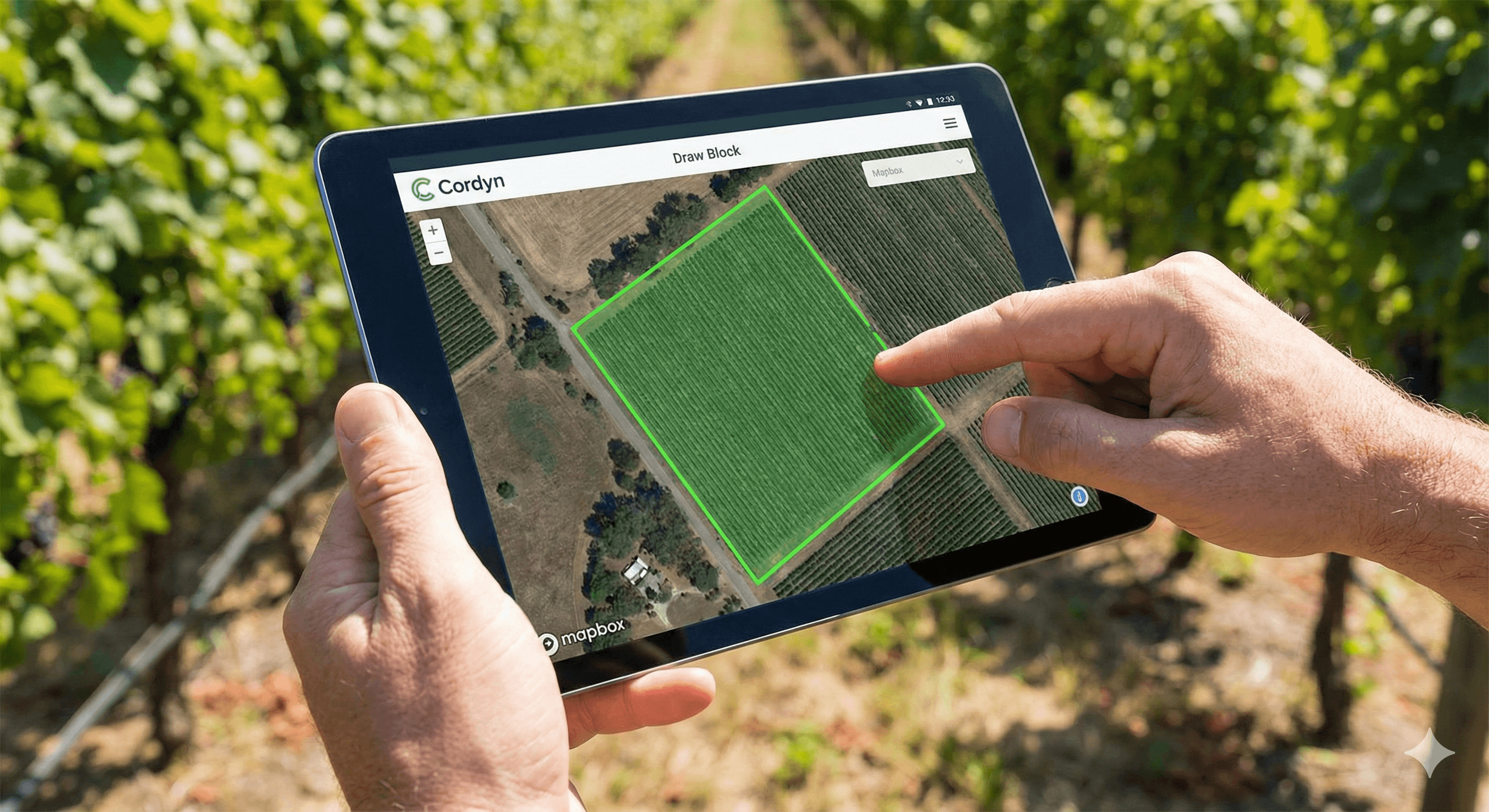
Spray records are only as useful as the block data behind them. Today we're releasing mapping tools that let you define your vineyard layout visually, using real satellite imagery.
Draw blocks on the map
Navigate to any vineyard and open the new Map view. You can draw block boundaries directly on satellite imagery — no need to import shapefiles or work with coordinates manually. Click to place points, close the shape, and your block geometry is saved.
Each block stores its calculated area automatically, which flows through to spray rate calculations and compliance reporting.
Define plantings within blocks
Blocks often contain multiple plantings — different varieties, rootstocks, or planting years in distinct rows. You can now draw planting boundaries within a block, each with its own:
- Grape variety and clone
- Rootstock
- Planting year and vine spacing
- Row orientation
This matters for spray records because different varieties may have different product registrations, and for harvest planning where you need to track ripeness by planting rather than by block.
Satellite imagery
The map uses Mapbox satellite imagery, giving you clear aerial views to trace your rows and boundaries accurately. Imagery is recent enough to show established plantings, though brand-new developments may take time to appear.
What's next
We're working on importing existing GIS data for vineyards that already have block boundaries in other systems. For now, the drawing tools handle most common layouts in a few minutes per vineyard.
Head to any vineyard and try the new Map tab to get started.